
If you’re using an AI agent in a JetBrains IDE via the AI Assistant tool window, you may simply have enabled the agent of your choice (for example, Claude Code), and that’s it. But is it actually using the IDE’s MCP server?
What is an MCP server?
A quick reminder: the IDE’s MCP server makes various IDE tools available to AI agents. A tool corresponds to an operation such as opening a file to check for problems, performing Git operations, compiling the project (instead of finding builds tools, using the command line, and analyzing its output and the generated files), and so on. This can save you time and credits, and it will make your agent a little smarter.
Does it work?
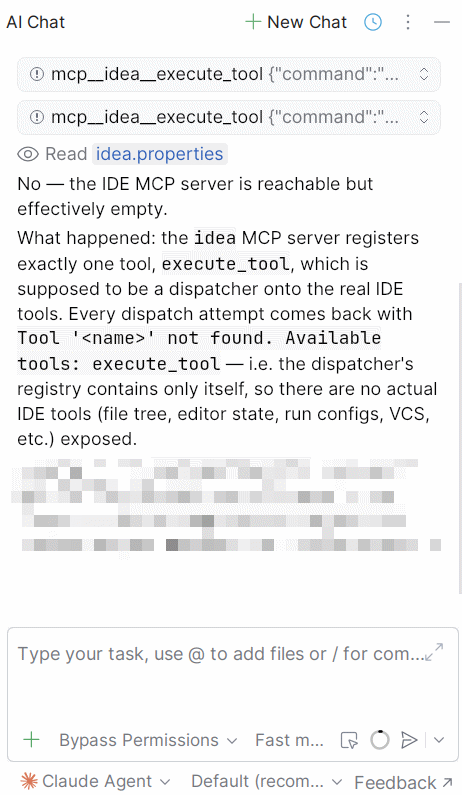
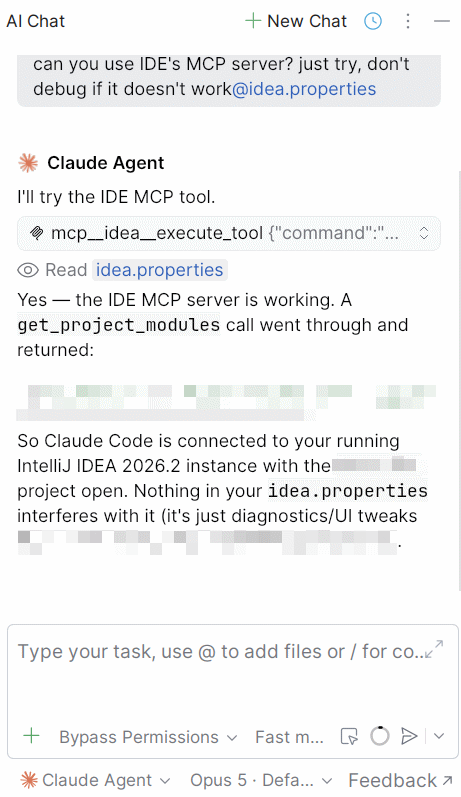
So, how do you check whether it’s working as intended? It’s simple: ask your agent if it can use the IDE’s MCP server. For example: “Can you use the IDE’s MCP server? Just try – don’t debug it if it doesn’t work”. I ask it not to debug any errors, otherwise he’d spend a lot of time and use up a lot of credits trying to work out why he can’t access the MCP server tools. On my machine, and without this restriction, he even decompiled some of the IDE’s classes to try and work out what was wrong. That cost me 3 credits, and it didn’t really helped.
My first try:
Fix it
The first things to check:
- Your agent is installed and up to date. Tip: if an update is available, the button on the right will say “Update” instead of “Uninstall”.
- It will try to use the IDE’s MCP server. The “Pass IntelliJ MCP server” should be set to “On demand” by default, don’t touch it.
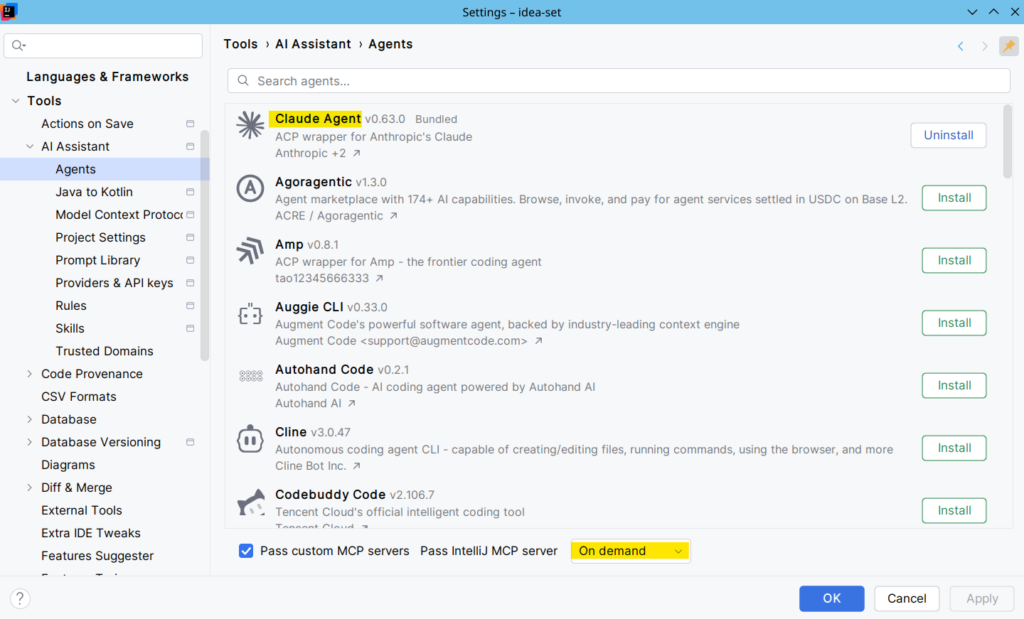
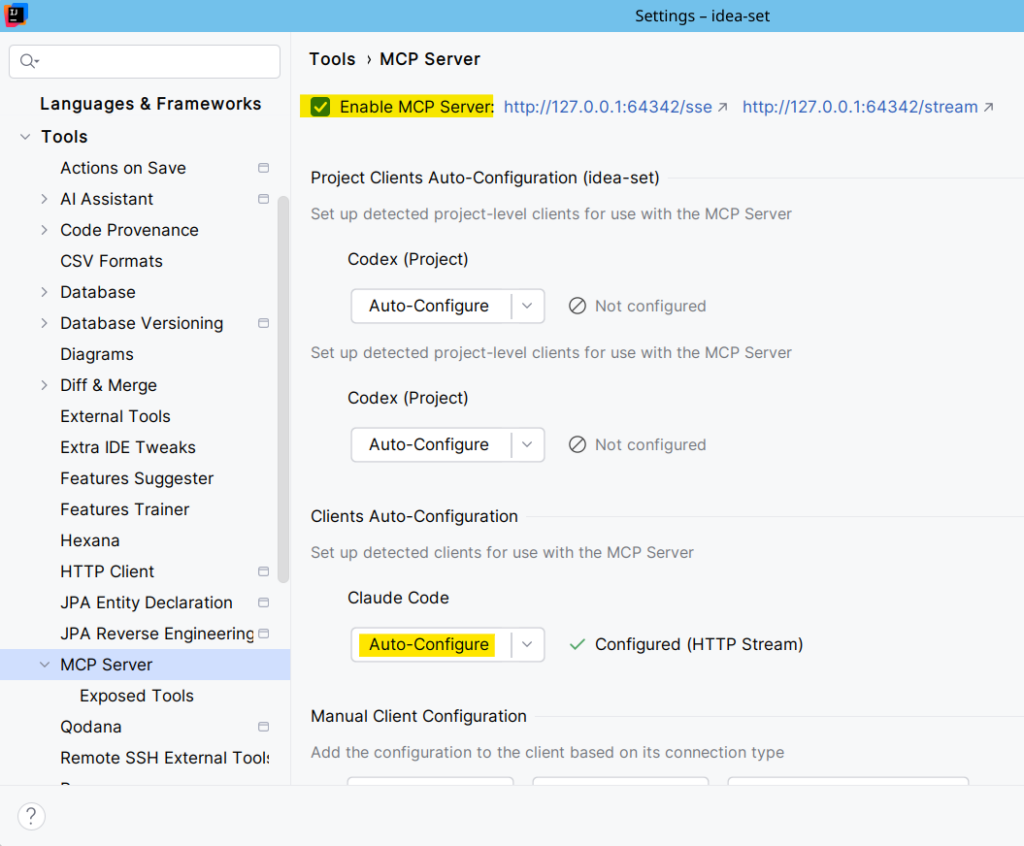
Then, enable the IDE’s MCP server. It’s off by default!
Also, configure your agent. You can hit the “Auto-Configure” button.
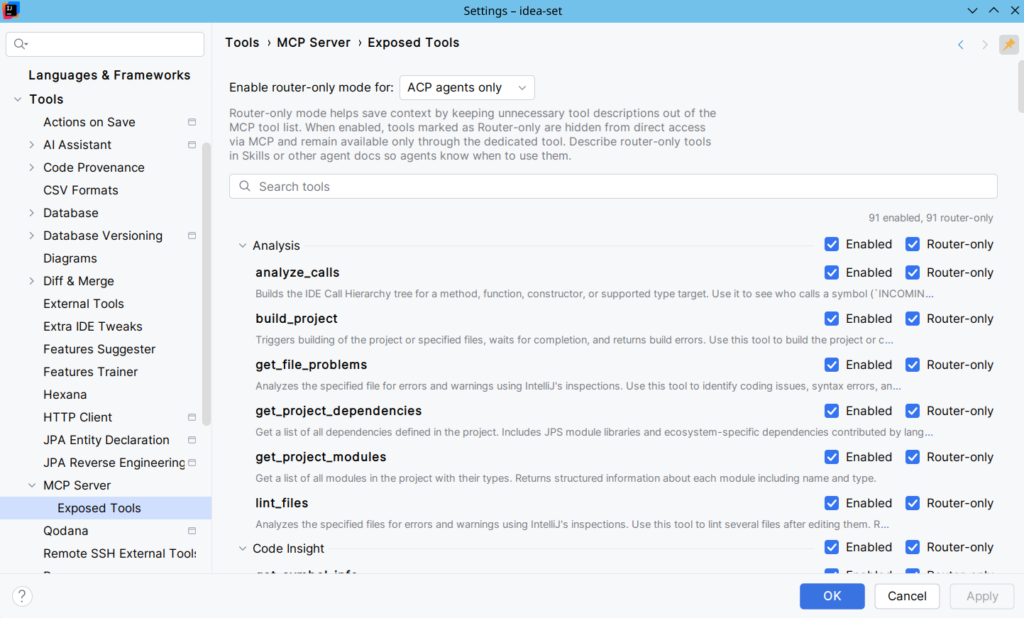
Finally, check if the MCP Server tools are enabled. This should be the case by default.
Now, restart your IDE.
After that, ask again if your agent can use the IDE’s MCP server:
A note on non-stable IDEs
The IDE’s MCP server may not work correctly on non-stable IDE releases, like EAP, Preview, Beta, and even Release Candidates. It was the case for me with IntelliJ IDEA 2026.2.1 Release Candidate. Downgrading to 2026.2.0.1 fixed this issue.
So, if you’re using a non-stable IDE release, you should take the time to verify if the MCP server or the AI agent is not broken. Ask a question to your agent, or verify if it’s using MCP “tools” or native calls like cat, grep, find, etc.
The official documentation
To conclude, it’s worth reading the official documentation about MCP servers: https://www.jetbrains.com/help/idea/mcp-server.html.