September is a great month for JetBrains plugins. I’m going to introduce you to four new extensions, one of which should particularly appeal to those who miss the old user interface. And as they’re developed by JetBrains, you can have complete confidence in them, even in corporate environment.
Warning: these plugins are currently compatible with 2026.3+ IDEs (EAP channel) only. They won’t work with 2026.2 stable IDEs.
Extended Tool Windows UI
https://plugins.jetbrains.com/plugin/34198-extended-tool-windows-ui
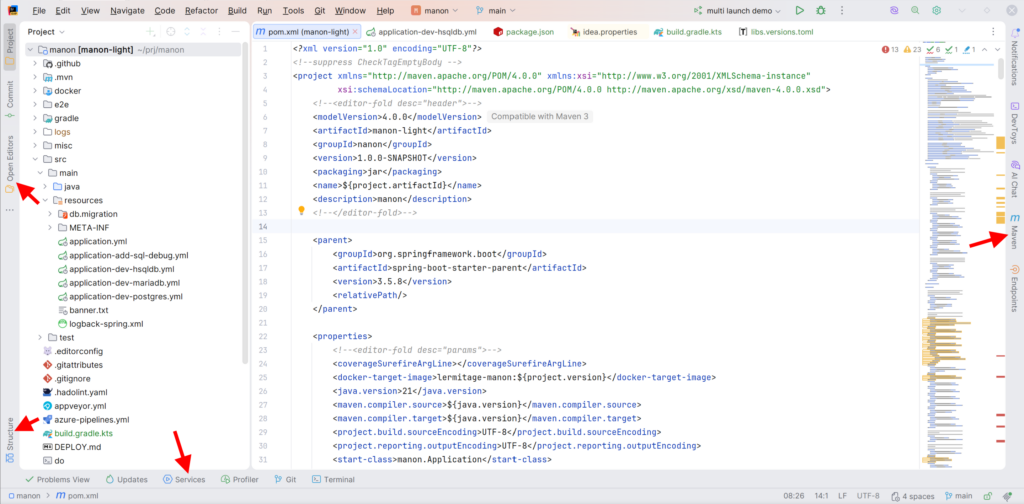
The most exciting plugin. It brings back two things to your IDE:
- tool windows gain vertical labels
- tool windows at the bottom anchor
This is better with a screenshot. As you can see, we are very close to the layout of the Classic UI:
Minimap
https://plugins.jetbrains.com/plugin/34024-minimap
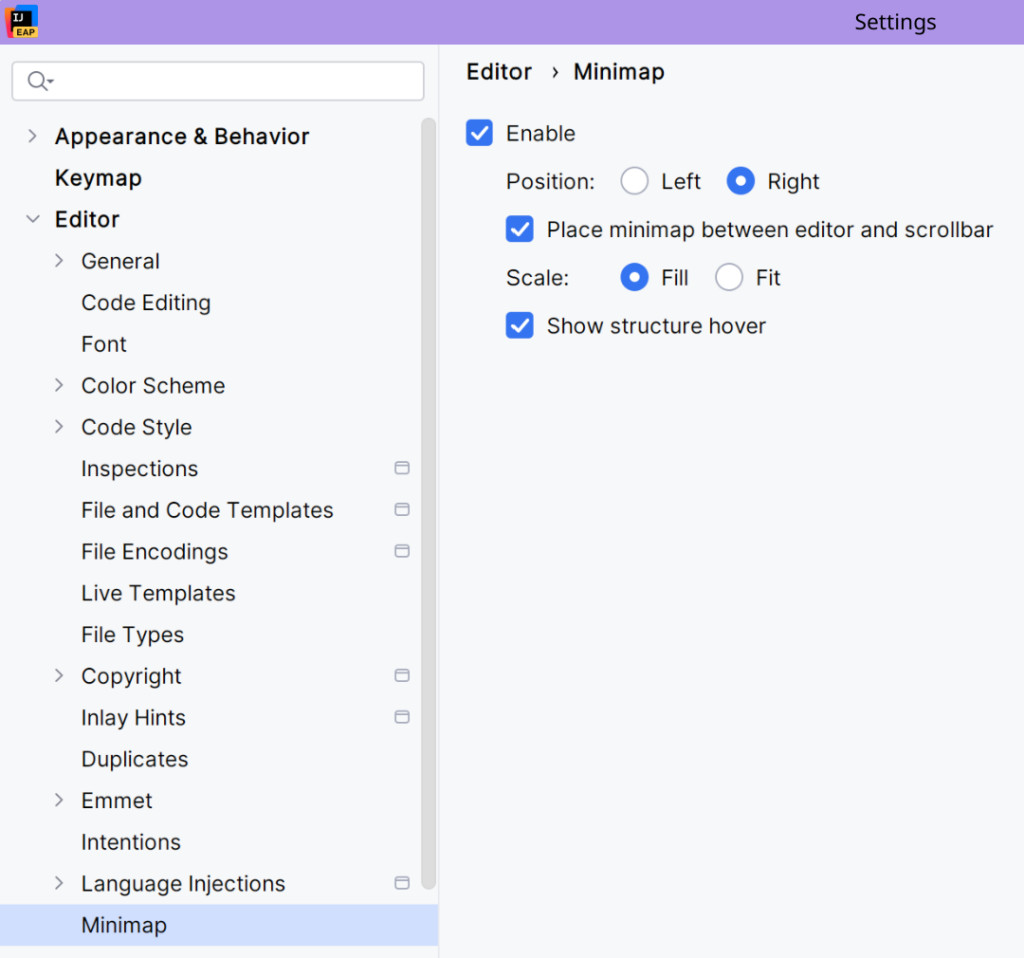
Third-party plugins already provide a great minimap. This time, JetBrains developed its own version.
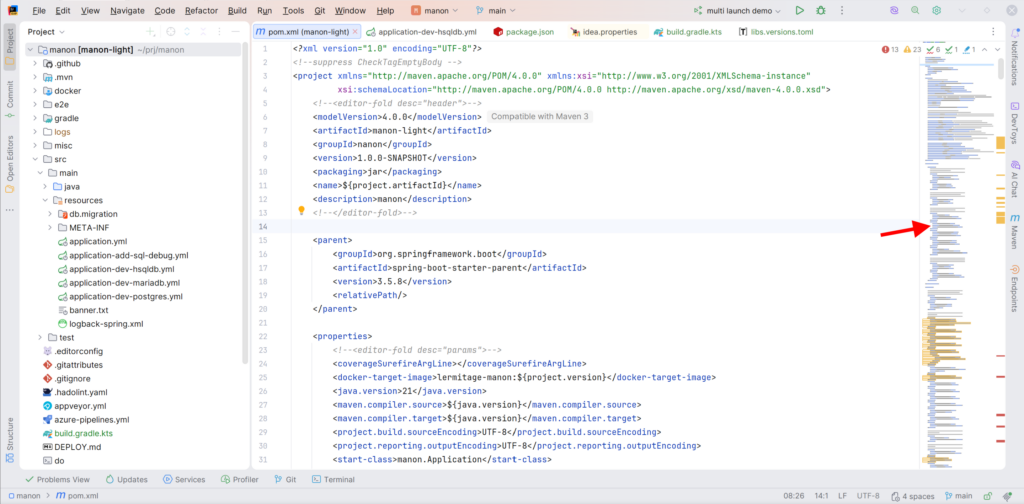
You can configure it via the settings or a right-click on the minimap:
Multi-Launch Configuration
https://plugins.jetbrains.com/plugin/34324-multi-launch-configuration
Again, some third-party plugins already provide a similar feature, but if you now have a solution if you only trust JetBrains.
With this plugin, you can register a Multi-Launch Run Configuration that will run… multiple existing Run Configurations.
You can chain them, run in parallel, and delay them.
Warning: if you rename a Run Configuration and if you use it in a Multi-Launch Run Configuration, you’ll have to update this last one and re-select the Run Configuration. It sounds like a bug, so expect a fix.
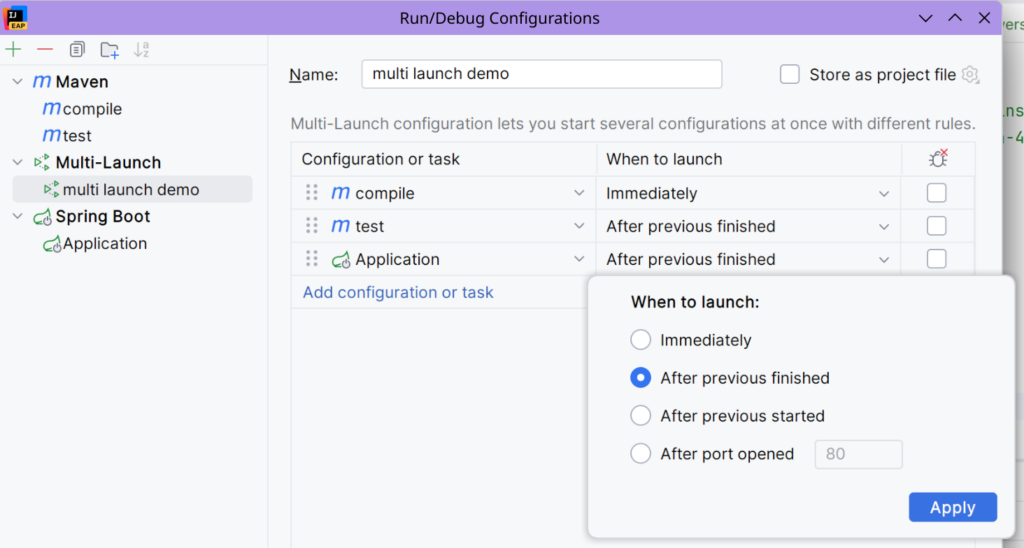
Here, my Multi-Launch Run Configuration runs three tasks (three Run Configurations). The last one is “Application”, that runs a Spring Boot app. The two first tasks ran with success, and now you can see the “Application” Run Configuration is running.
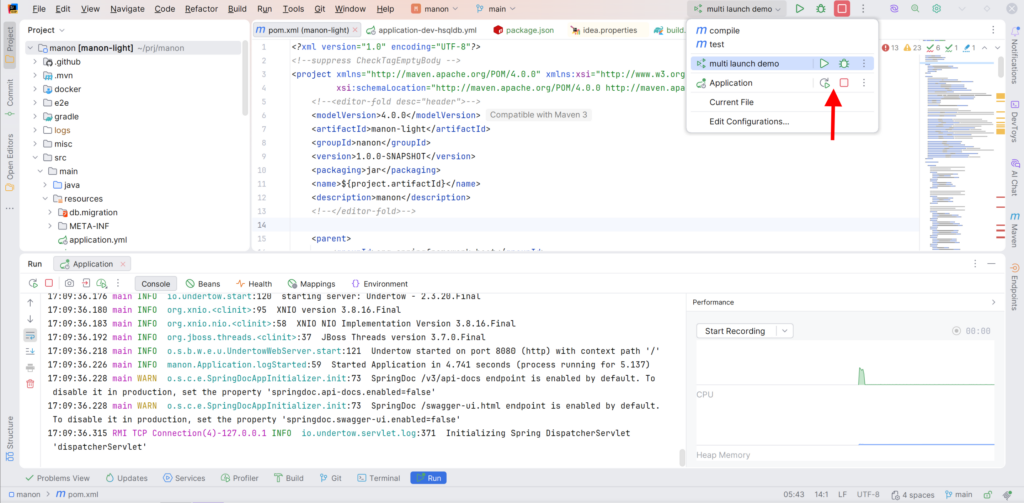
Warning: there is another bug. If the Run tool window is still hidden, per example because you did not run any Run Configuration yet, running a Multi-Launch Run Configuration may not open it, running it in background, without any way of knowing what’s going on. So, ensure the Run tool window is already visible before using a Multi-Launch Run Configuration. Again, this is probably a bug and it should be fixed.
Split with Chooser
https://plugins.jetbrains.com/plugin/34325-split-with-chooser
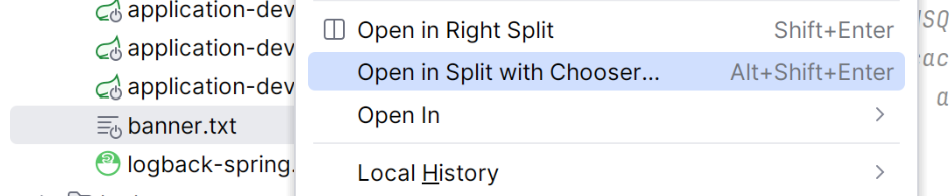
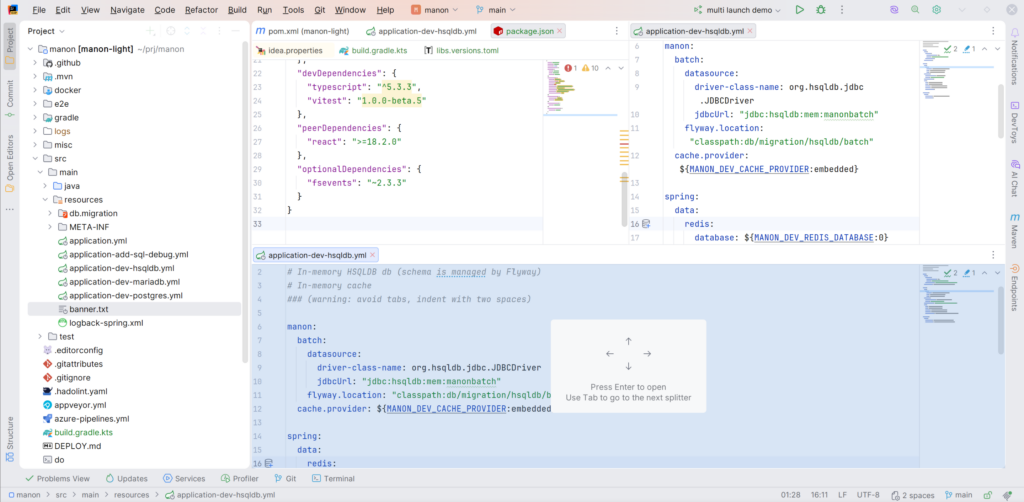
This plugin is useful when your editor is already split into two or more blocks. Do a right click on a file or a tab, then pick Open in Split with Chooser. After that, use the Tab key or the arrow keys to select where to open the file.
I can’t say if it’s quicker to open a file directly and then drag it to the desired block, but you now have a choice.