
Recap (2026-03-13):
- JetBrains IDE 2026.1 releases start rolling out on March 24. Not all products will ship on the same day, there will probably have a release week (source)
- Smooth caret
- Move deleted files to the trash bin
- IDE theme sync with OS arrives on Linux
- (this page) Support stylistic sets for fonts
- (this page) Run Configuration button for registered tasks in build.gradle.kts
Original post:
The first EAP of IntelliJ 2026.1 is now available for download.
You can download it from the IntelliJ IDEA Early Access Program page, or via the JetBrains Toolbox app. As usual, you can use EAP builds for free, but each build can be used for a limited time only.
I guess JetBrains will communicate about IntelliJ 2026.1 EAP1 very soon, and update the list of Known Breaking Changes quickly, which is critical for plugin developers.
The IDE itself seems fairly stable for a first EAP (it only crashed my Linux virtual machine once 😁). There is just one problem: Junie is still incompatible with EAPs (and they have no plans to support EAPs). I think it’s weird as they ask plugin developers to make their plugins automatically compatible with future future IDE versions, including EAPs. In other words, do what I say, not what I do…
So, the Release Notes have been published, and I’d like to mention two new features.
Support stylistic sets for fonts
Maybe one of the most visible change, you can now fine-tune how the fonts are displayed, character by character. The File > Settings > Editor > Font > Typography Settings gained new options: Character variants. Per example, you can now add a slash to the 0 (zero) character.
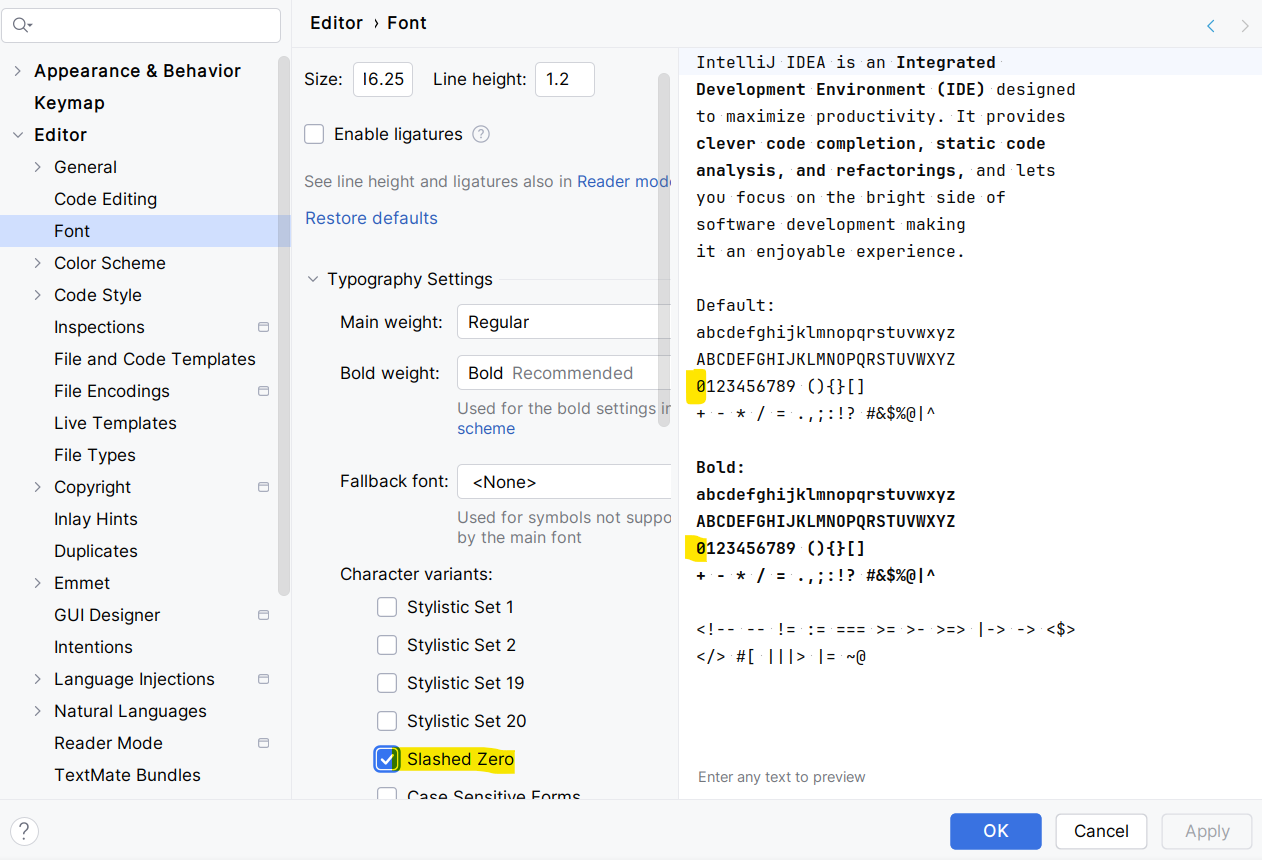
This only works if the selected font offers characters variants. There is no magic here.
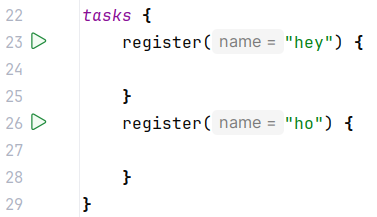
Run Configuration button for registered tasks in build.gradle.kts
I think the screenshot speaks for itself. You can now execute registered Gradle tasks directly from their build.gradle.kts file. Simple and convenient, I love it.
Happy coding 😉